
Are you looking for simple ways to help kids enjoy learning math? This article offers tips and reviews some fun apps along with a helpful tool from Amazon that might be interesting. We mix clear advice and everyday language to make it easy for parents to get started with digital learning and support their kids in STEM.
Table Of Contents
- Why Math Apps Matter for Kids
- Top-Rated Math Apps for Kids
- Educational Benefits Backed by Research
- How to Integrate Math Apps into Your Child’s Daily Routine
- Complementing the Digital Math Adventure
- Practical Tools and Templates to Enhance Learning
- Comparing Traditional Methods and App-Based Learning
- Extra Resources and Further Reading
- Conclusion
- Frequently Asked Questions (FAQs)
- Sources
Key Takeaways
- Using math apps can make learning fun and easier for kids. They help kids practice important skills through games and interactive activities.
- Consistent use of math apps alongside traditional methods can give kids a more complete learning experience. Mixing both helps reinforce what they learn in schools.
- Parents should watch their kids’ progress in these apps. Many have tracking tools that show how well children are doing and where they might need extra help.
- Bright Mind Tools: A Parent’s Guide to Tech-Supported STEM Learning is a great resource, guiding parents on how to use technology effectively in their children’s education, especially during early years.
- Don’t forget to explore products on Amazon that can add to your teaching toolbox, like interactive whiteboards, which can make learning even more engaging at home.
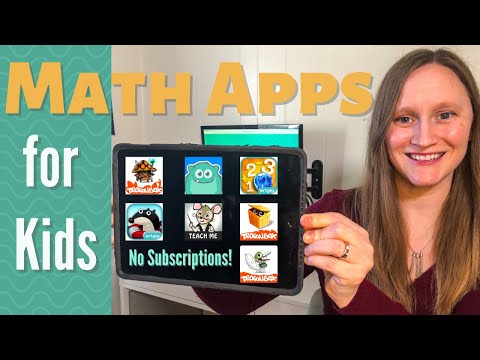
Why Math Apps Matter for Kids
Math apps have become a popular tool for parents and educators looking to make math both engaging and accessible. Kids today often interact with technology at an early age, and math apps use familiar digital devices to transform learning into an adventure. These apps offer interactive challenges, instant feedback and even progress tracking, which can help reinforce basic math concepts and build confidence over time. Many parents appreciate that a well-designed math app can complement daily learning routines and even encourage kids to practice math skills outside of school hours.
The rise of digital learning tools has been backed by research. For instance, the Journal of Educational Psychology has published studies highlighting how personalized digital tools can help tailor math challenges to each child’s ability. Likewise, providers like GoodPlayGuide emphasize the benefits of games that combine learning with interactive elements, making math fun without sacrificing educational quality.
Top-Rated Math Apps for Kids
Several math apps have gathered attention for their effective use of gamification and interactive features. Below is an overview of three leading apps that have received praise from parents and educators alike.
Sushi Monster
Sushi Monster is designed to sharpen a child’s arithmetic skills in an engaging way. Children help a friendly monster earn sushi by solving math problems. The game’s adaptive learning techniques ensure that as soon as a child masters one level, the next level becomes a little more challenging, which helps avoid boredom as well as frustration.
- The challenges scale with the child’s progress.
- The game uses bright visuals and sounds to keep kids motivated.
- Adaptability ensures that both beginners and more advanced learners find the game engaging.
DoodleMath
DoodleMath offers a wide range of activities that go beyond basic arithmetic. The app encourages kids to solve puzzles and explore math concepts in ways that reinforce understanding while still being enjoyable. Teachers and parents appreciate its simple interface and gradually increasing difficulty levels.
- Kids earn points, badges and virtual rewards which add to the fun.
- The app offers practice in addition, subtraction and early geometry in a manner that’s interactive.
- It provides opportunities for self-paced learning, ideal for children who like to take their time.
Math Kids – Add, Subtract, Count
Math Kids is perfect for younger learners. It focuses on helping toddlers and early primary students grasp simple math concepts. The app uses colorful characters and playful sounds to introduce basic arithmetic in an accessible way.
- The interface is user-friendly and intuitive.
- The app includes mini-games that prompt kids to recognize numbers, perform simple calculations and even count objects.
- Heartwarming animations provide instant positive feedback, making the learning process feel like play.
To help you compare these apps, here’s a quick table summarizing their key features:
| App Name | Interactive Features | Gamification Elements | Ideal Age Range |
|---|---|---|---|
| Sushi Monster | Adaptive challenges, instant feedback | Points, rewards, fun visuals | 6 – 10 years |
| DoodleMath | Puzzles, progressively challenging problems | Badges, virtual rewards | 7 – 12 years |
| Math Kids – Add, Subtract, Count | Colorful characters, simple UI, mini-games | Animated rewards, fun sounds | 3 – 6 years |
Educational Benefits Backed by Research
Math apps not only make learning enjoyable but also offer a number of educational benefits. Several studies and expert opinions confirm that these tools can make a measurable difference in how children learn math.
Personalized Learning and Flexibility
One of the biggest benefits of math apps is the ability to tailor learning experiences to each child’s needs. Adaptive learning technology adjusts the difficulty level based on the child’s answers, meaning that each child is consistently working at the right level of challenge for them.
- Adaptive algorithms ensure that kids are neither overwhelmed nor under-challenged.
- Kids receive immediate feedback, which helps them correct mistakes on the spot.
- This personalized approach can lead to faster improvement in math skills.
Research published in the Journal of Educational Psychology supports the idea that personalized learning can lead to better educational outcomes… It shows that when students learn at their own pace they tend to absorb concepts more deeply than in a standard classroom setting.
Progress Tracking for Parents and Teachers
Many math apps also come with features that allow parents and teachers to monitor progress. These tracking tools serve as a valuable resource, providing insights into a child’s strengths and areas that might need extra practice.
- Dashboards and reports let parents see which areas their children struggle with.
- Teachers can use these insights to adapt their classroom strategies or offer additional support.
- Regular progress tracking helps set realistic goals and measure achievements over time.
By combining interactive math practice with robust tracking systems, these apps empower kids to take charge of their own learning and give adults the information needed to provide targeted help.
The Role of Gamification
Gamification, the use of game-like elements in non-game contexts, is a powerful motivator in educational apps. By incorporating elements like points, badges and levels, math apps transform routine practice into an exciting quest. This process not only boosts engagement but can help reduce performance anxiety while making error correction feel like a natural part of gameplay.
- Rewards, leaderboards and visual progress indicators help kids see tangible achievements.
- Challenges feel less like tests and more like fun missions, which can encourage resilience.
- Even when facing difficult problems, the game-like interface supports a growth mindset.
How to Integrate Math Apps into Your Child’s Daily Routine
Incorporating math apps into everyday life need not be complicated. The goal is to create a routine that encourages frequent, enjoyable math practice without overwhelming the child.
Step-by-Step Guide to Creating a Daily Math Routine
- Set aside a specific time each day for math practice.
This might be 15-20 minutes after school or in the morning before starting other activities. Establishing a consistent time helps turn app-based learning into a positive habit in the same way as homework routines do. - Choose the right app based on the child’s age and skill level.
For example, younger children might benefit from Math Kids – Add, Subtract, Count, while older children might find Sushi Monster or DoodleMath more challenging and stimulating. - Use a combination of free trial versions and premium content.
Many math apps offer a free version with basic lessons. Explore these options first and see which app resonates with your child before upgrading or purchasing additional content. - Mix in physical activities as a break between app sessions.
Encourage children to balance screen time with activities such as board games, outdoor play or puzzles. This balance helps ensure that technology supports learning without replacing physical interaction. - Involve the entire family in math challenges.
Set up mini competitive challenges where family members use the app to earn points. This creates a fun and inclusive atmosphere that reinforces learning in a natural and relaxed way. - Monitor progress using the app’s tracking features.
Regularly check the progress reports provided by the app. Use these insights to discuss what your child is doing well and what areas may need more practice. Offer encouragement rather than focusing solely on mistakes. - Celebrate small successes.
Rewards can be simple achievements like a sticker chart at home or even small celebratory treats when your child masters a difficult level. Acknowledge improvements regularly to keep the child motivated.
Tips for Promoting Active Learning at Home
- Create a dedicated learning space that’s free from distractions.
A quiet, organized space can make app time feel like a mini classroom session. - Use supportive language.
Reinforce that learning is an adventure and that each challenge solved is a step toward becoming a math whiz. - Combine app-based learning with hands-on activities such as counting objects around the house or cooking, which involves measuring and fractions.
These activities provide a practical context for the math concepts being learned in the digital space. - Schedule periodic review sessions between the child, teacher and parent.
Discuss what has been learned from the app and relate it to school topics to deepen the connection between digital and traditional learning.
Complementing the Digital Math Adventure
Alongside these innovative math apps, consider supplementing digital learning with an interactive tool available on Amazon. One recommended product is the LeapFrog LeapStart Interactive Learning System. This interactive workbook system includes engaging games, puzzles and activities that cover a range of subjects including math. It’s designed to be user-friendly and provides a tangible learning experience that pairs well with the digital math practices the apps offer.
- The LeapFrog device uses physical activity and storytelling to enhance learning.
- It includes a set of interactive books that cover math, reading and problem-solving.
- This tool is especially well-suited for younger children who benefit from both screen-based and hands-on learning modes.
Using this product can provide a balanced approach, ensuring that children get the benefits of both digital and tactile learning experiences. Parents have found that switching between an app and an interactive device like the LeapFrog system can help keep learning fresh and exciting.
Practical Tools and Templates to Enhance Learning
To make the most of these math apps, consider utilizing the following tools and templates:
- A daily math practice chart:
Create a simple checklist or chart where your child can mark off the time spent on each app. This visual reminder can help instill a sense of accomplishment and routine. - A progress tracker template:
Develop a template that tracks the areas in math where the child excels and those that require more practice. This template might include categories like addition, subtraction or problem-solving skills. Periodic updates will show improvement over time. - A reward system:
Use a sticker chart or point system that corresponds to levels completed within the app. Once a specific number of stickers is reached, offer a small reward or extra playtime. This approach makes learning feel like a game and encourages persistence. - A discussion checklist for parents and teachers:
Keep a list of questions to discuss during review sessions. For example: - Which math problems seemed most challenging today?
- What strategies helped solve these problems?
- How did the app’s feedback change your approach?
These questions foster a dialogue that reinforces learning and builds problem-solving skills.
Comparing Traditional Methods and App-Based Learning
While traditional worksheets and classroom instruction remain integral to math education, app-based learning complements these approaches with adaptive technology and gamification. The table below provides a simple comparison:
| Feature | Traditional Worksheets | Math Apps for Kids |
|---|---|---|
| Learning Flexibility | Set pace determined by educator, often fixed | Adaptive pace based on individual performance |
| Engagement and Motivation | Can become monotonous over time | Interactive, game-like elements keep learning fun |
| Instant Feedback | Delayed, usually provided upon review | Immediate responses to correct errors |
| Monitoring Progress | Manual evaluation, dependent on teacher | Automated tracking with visual dashboards |
| Accessibility for Home Use | Requires printed materials, sometimes static | Accessible on digital devices anytime |
Apps offer features like immediate feedback and customized challenges that traditional methods sometimes lack. This combination can significantly enhance the learning experience for many children.
Extra Resources and Further Reading
For parents interested in further exploring digital learning and STEM education, the following resources are excellent starting points:
- Khan Academy
A well-known educational platform offering a wide range of subjects including math, science and more. It provides free lessons with interactive practice. - RV AppStudios LLC
A developer focused on innovative apps for children, offering insights into how game elements can support learning through fun and creativity. - CircuitMess
While not solely focused on math, this site offers engaging projects and kits that help promote logical thinking and STEM skills in an interactive way.
Using these resources along with the math apps mentioned above can create a comprehensive, tech-supported learning environment at home. Parents can navigate this blend of digital and traditional learning by leveraging tools and templates, ensuring that children receive a well-rounded educational experience.
Parents who take the time to explore and integrate these apps into their child’s routine often find that the learning process becomes more enjoyable and personalized. The combination of app-based learning, interactive gadgets such as the LeapFrog LeapStart Interactive Learning System and the additional resources available online help open up new avenues for engaging young minds in math and beyond.
By carefully choosing the right app for your child, setting realistic goals and incorporating both digital and physical learning tools, math can become a friendly adventure rather than a daunting subject. The key is consistency, active support from parents and a willingness to explore different methods, ensuring that every child’s learning journey is as unique as they are.
Bright Mind Tools: A Parent’s Guide to Tech-Supported STEM Learning offers more insights and practical tips for integrating technology in learning. Enjoy exploring and empowering your child with these innovative ideas.
Conclusion
We recapped the fun math apps and practical tips for engaging your kids in learning, and even mentioned a handy Amazon product to boost STEM learning. The key takeaways include making tech part of daily routines and using interactive tools to enhance learning, and showing patience along the way, too. Check out our insights and let Bright Mind Tools | guide your next steps in tech-supported STEM learning.
Frequently Asked Questions (FAQs)
What are math apps and how do they help my child?
Math apps are interactive tools designed to make learning fun and engaging. They usually offer step-by-step lessons and games that help kids practice basic math skills, making learning less boring and easier to understand.
How can I integrate math apps into our daily routine?
You can set a daily time slot or let your kid explore the app after finishing homework. Adding short practice sessions or fun challenges can really make a difference, and it’s nice to see quick progress over time in their skills.
Are there any tools recommended by Bright Mind Tools: A Parent’s Guide to Tech-Supported STEM Learning?
Yes, Bright Mind Tools offers great insights into how technology can boost your child’s learning journey. They provide curated advice for parents navigating early education, which includes integrating digital resources, practical tips, and recommendations for supportive tools.
Can math apps replace traditional learning methods?
Math apps are a great supplement, but they work best when combined with traditional learning. They help in reinforcing concepts and giving extra practice, though it’s still important for children to work on books and physical materials as well.
Is there an Amazon product that can support math learning at home?
Absolutely, many parents find that combining math apps with educational tools like a digital interactive whiteboard can boost the learning experience. You can explore options on Amazon, where detailed reviews and product specs help you choose the best one for your home setup.