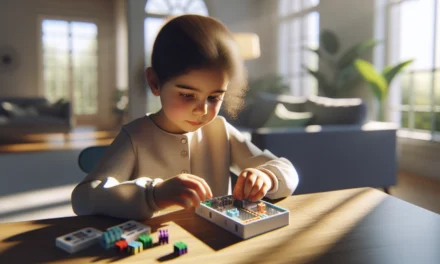
Learning how to code can sometimes feel overwhelming at first, yet it might well become a rewarding journey for kids and parents alike. Through hands-on activities and playful challenges, this guide helps parents discover fun coding tools, including a special Amazon find. It aims to offer practical tips and playful insights to spark interest in early STEM learning.
Table Of Contents
- Overview of Beginner Coding for Kids
- Why Early Coding is Important
- Simple Coding Platforms and Tools
- Hands-On Projects and Camps
- Parent and Educator Resources
- Practical Examples and Real-Life Projects
- Tools, Templates, and Resources to Get Started
- Step-by-Step How-to Guide for a Weekend Coding Project
- Integrating Coding into Daily Learning Routines
- Collaborative Initiatives and Community Learning
- Integrating Amazon Products for a Hands-on Coding Experience
- Additional Tips for Parents and Educators
- Conclusion
- Frequently Asked Questions (FAQs)
- Sources
Key Takeaways
Coding for kids is a great way to build problem-solving skills and boost creativity, making it an essential part of early learning.
Platforms like Scratch and Code.org are fantastic tools to help children learn coding in a fun, interactive way.
Fun projects and challenges can keep kids engaged, turning coding lessons into enjoyable activities that mix learning with play.
Bright Mind Tools: A Parent’s Guide to Tech-Supported STEM Learning offers valuable insights for parents, showing how to easily weave tech into everyday learning to support kids’ growth.
Remember to celebrate small wins in your child’s coding journey, this builds confidence and motivates them to keep learning new skills.
Overview of Beginner Coding for Kids
Coding can seem like a big topic, but it is very welcoming to beginners, especially kids. Many parents are now realizing that early exposure to coding builds problem-solving skills, creativity, and opens up a world of digital literacy. Simple platforms such as Scratch use block-based programming to help young learners start without the need to type actual code. This method breaks down complex ideas into easy-to-understand steps.
Many of the tools available allow a mix of learning and fun. Courses and platforms offer interactive lessons and hands-on challenges. For example, CodeMonkey Jr. provides games that allow children to learn through play, and Tynker offers interactive lessons that ensure the learning process is engaging. These interactive learning experiences are ideal for both educators and parents looking for STEM enrichment opportunities.
Why Early Coding is Important
Early coding experiences lay the groundwork for more advanced digital skills. Here are some reasons why it is important:
- Kids develop logical thinking and problem-solving skills.
- It encourages creativity by allowing them to see immediate results of their ideas.
- Early exposure builds confidence, making future learning in tech subjects easier.
- Parents and educators can integrate a hands-on approach to learning by using online games and interactive challenges.
Step-by-Step Benefits
- Begin with visual programming: Kids can easily move blocks around to form complete programs.
- Build simple projects: As kids win small victories with projects, it boosts their interest and confidence.
- Advance to more complex challenges: The gradual increase in difficulty ensures children always feel a sense of accomplishment.
Parents and educators can use these steps to gradually integrate coding into daily learning habits. This method not only makes the subject less intimidating but also opens up a creative avenue for children who might otherwise be overwhelmed by traditional learning environments.
Simple Coding Platforms and Tools
Various platforms have been designed with young beginners in mind. Here, we look at some popular tools:
Scratch and Block-Based Programming
Scratch remains one of the most well-known tools for beginner coding. It offers a visual drag-and-drop interface that simplifies learning by replacing code syntax with colorful blocks.
- Beginners learn to think logically.
- Creativity is fostered through animation and game creation.
- The platform is free, making it accessible to many families and schools.
A similar approach is seen in other block-based programming platforms which are not only engaging but also help kids understand sequencing, loops, and conditional statements.
Hands-on Courses and Games
Interactive lessons have become more popular over the last few years. Two platforms stand out in this area:
CodeMonkey Jr.
- Designed for very young children.
- Uses fun game-based challenges.
- Helps build problem-solving skills and logic in a playful manner.
Tynker
- Provides a variety of coding courses.
- Combines interactive lessons with creative projects.
- Offers a smooth transition from block-based coding to text-based coding, which is useful for continued growth.
These platforms mix education and fun in a way that keeps young minds engaged. They ensure that children not only understand basic coding principles but also enjoy the process of learning.
Comparative Table of Popular Platforms
| Feature | Scratch | CodeMonkey Jr. | Tynker |
|---|---|---|---|
| Target Age Group | 8+ years | 4-7 years | 8+ years, can transition to text coding |
| Interface Type | Visual block programming | Game-based interactive | Interactive lessons and projects |
| Cost | Free | Paid, often subscription-based | Free options with paid upgrades |
| Learning Focus | Animation, storytelling | Problem solving through play | Progression from simple to advanced coding |
| Availability of External Resources | Extensive community tutorials | Limited additional resources | Broad community and teacher guides |
This table provides an at-a-glance comparison so that parents can decide which platform might suit their child’s interests and age best.
Hands-On Projects and Camps
Hands-on projects such as summer camps and interactive challenges can take classroom learning to the next level. Programs like the Hour of Code introduce children to a variety of basic coding exercises, providing a taste of what technology can do.
Interactive Coding Challenges
- Hours of Code encourages short, focused sessions.
- Many schools now integrate coding sessions into their weekly curriculum.
- Interactive challenges encourage creativity and competition, which help in retaining interest.
Summer Camps and Creative Coding Sessions
Many summer camps now offer coding as part of their curriculum. These camps often include:
- Individual projects: Giving each child personal projects ensures a sense of ownership.
- Group challenges: These encourage teamwork and collaboration.
- Creative sessions: Allowing kids to design their own games and apps fosters deeper understanding.
These extra-curricular sessions help children apply what they have learned in a more dynamic environment. Parents are encouraged to look into local summer camps or workshops that emphasize hands-on learning, as they often provide an environment where students can thrive both socially and academically.
Parent and Educator Resources
With so many options out there, parents and educators need guidance to select the right platforms and tools. There are various guides and teacher resources available that provide step-by-step instructions. Here are some key points to help get started:
Teacher Guides and Tips
Many online platforms offer dedicated teacher guides that often include:
- Detailed lesson plans
- Step-by-step instructions for each coding challenge
- Troubleshooting tips for common issues
- Suggestions for integrating lessons into everyday classroom activities
Using these resources, educators can simplify the process of introducing coding into the classroom. For parents, these guides provide a roadmap to help get their kids started with coding projects at home.
Non-Tech Expert Tips
Not every parent is a tech expert, so educational platforms have designed guides that simplify the process. Some useful tips include:
- Set aside regular time for coding activities so it becomes part of your child’s routine.
- Use online tutorials to walk through the basics step-by-step.
- Engage with your child by asking them to explain what they’ve built.
- Start with platforms that offer lots of visuals and interactive challenges.
For instance, collaborating with initiatives like Code.org and the Hour of Code makes it easier to access high-quality content that is both engaging and suitable for beginners.
Additional Support Tools
Many communities encourage the use of templates and sample coding projects. These can be downloaded from various educational websites and often come with:
- Pre-built coding exercises that you can modify
- Visual templates for games and animations
- Step-by-step lesson plans for enjoying out-of-school experiences
These resources help demystify the process of learning to code, making it more accessible even to those who are starting without a strong tech background.
Practical Examples and Real-Life Projects
Learning to code is best done by doing. Practical examples from hands-on projects help cement concepts. Consider these examples:
Example 1: Creating a Simple Animation with Scratch
- Open the Scratch website and select “Create.”
- Drag a sprite (the character) onto the canvas.
- Use the “Events” and “Control” blocks to add movement.
- Experiment with sounds and backgrounds.
This project introduces the child to the cause-and-effect relationship in programming. It’s simple, interactive, and fun enough to spark further interest.
Example 2: Building a Basic Game with Tynker
- Select a beginner project on Tynker.
- Follow the guided steps to create game elements.
- Use block commands to control characters and set game rules.
- Test the project and make adjustments based on feedback.
This practical approach not only teaches coding, but it also introduces basic game design principles, making learning contextual and tangible.
Example 3: Participating in Hour of Code Events
- Visit the Hour of Code website.
- Choose an event suited to your child’s age.
- Follow step-by-step codes and lessons on the website.
- Engage your child in a discussion about what they’ve learned.
These projects are designed to be both educational and enjoyable, highlighting the practical nature of technical learning.
Tools, Templates, and Resources to Get Started
For parents looking to integrate coding into home learning, having the right tools can make a significant difference. The following bullet points list some essentials:
- Access to a computer or tablet, preferably one that’s kid-friendly.
- Use platforms like Scratch or Tynker to get started.
- Look into community resources that offer free coding activities.
- Consider investing in educational kits such as the Osmo Coding Starter Kit for Kids available on Amazon. This kit combines physical objects with digital gameplay, making coding a tangible and interactive task for young learners.
- Schedule regular coding sessions to build familiarity and reinforce concepts over time.
In addition, educators and parents may find online forums and communities helpful, where they can share experiences, tips, and troubleshooting techniques. These communities often highlight creative lesson plans and innovative classroom activities.
Step-by-Step How-to Guide for a Weekend Coding Project
For parents planning a weekend project, here’s a simple step-by-step guide to create a basic interactive story using a block-based programming tool like Scratch:
Step 1: Setting Up
- Choose a quiet space free from distractions.
- Have your computer or tablet ready.
- Open the Scratch website in your browser.
- Create a free account if you do not already have one.
Step 2: Designing Your Story
- Brainstorm a simple storyline with your child.
- Decide on a main character and a simple goal.
- Use a storyboard – this can be a drawn outline on paper with rough sketches of what each scene will look like.
Step 3: Building the Project in Scratch
- Select a backdrop to set the scene.
- Add a sprite to represent your character.
- Use event blocks to make the sprite react to simple inputs (e.g., moving when a key is pressed).
- Incorporate sound blocks to add effects or dialogue.
Step 4: Testing and Iterating
- Run the project to see if the story flows as planned.
- Ask your child what they like or what might be improved.
- Encourage them to change one aspect and test again.
- Save your work and celebrate the progress!
This kind of project not only teaches the basics of coding but also instills a sense of creativity and confidence. Parents can join in, providing guidance whenever necessary.
Integrating Coding into Daily Learning Routines
Coding doesn’t have to be a once-a-week activity. Many parents have begun integrating coding lessons into daily routines to build comfort and proficiency in technology. Here are a few suggestions:
Daily Mini Challenges
- Set aside 10-15 minutes a day for a simple coding challenge.
- Use online platforms that offer daily puzzles or coding games.
- Discuss the challenge after a few days to track improvement and adjust the difficulty level.
Family Coding Time
- Make it a family activity where everyone participates.
- Work on a project together where each family member has a small role.
- Celebrate small victories, whether it is debugging a line of code or designing a creative sprite.
Using Templates and Worksheets
- Download coding templates that offer a structure to follow.
- Utilize printable worksheets that come with some coding kits.
- Combine offline activities like drawing storyboard sequences with digital coding exercises.
This consistent practice helps kids become comfortable with technology and problem-solving at a young age, ensuring they are prepared for more advanced challenges in the years to come.
Collaborative Initiatives and Community Learning
Many initiatives are driving the integration of coding into early education. Programs like Code.org and the Hour of Code offer community-driven resources, lesson plans, and interactive activities designed specifically for children.
How to Engage with Community Initiatives
- Participate in local coding clubs or after-school programs.
- Attend online webinars or workshops hosted by these organizations.
- Explore local events such as coding fairs or digital art shows that celebrate the fusion of creativity and technology.
Community engagement not only provides support for children as they learn but also helps parents and educators share resources and success stories. It creates a network of support that can be invaluable, especially for non-tech experts.
Benefits of Collaboration
- Sharing experiences with other parents can make the learning journey less isolating.
- It allows for the exchange of tips and creative teaching methods.
- It provides a channel to learn about new tools and updates in the coding education sphere.
Engaging with these communities builds a shared sense of achievement and can provide access to additional materials and templates, ensuring that the coding learning process remains fun and accessible.
Integrating Amazon Products for a Hands-on Coding Experience
For parents looking to enhance their child’s coding experience at home, including a hands-on tool can make a big difference. One great option is the Osmo Coding Starter Kit for Kids, available on Amazon. This kit offers:
- Interactive coding blocks that mix physical play with digital learning.
- Step-by-step activities to build confidence and understanding.
- A platform that encourages both independent learning and guided play.
Using tangible tools such as these can help bridge the gap between digital and physical learning environments, turning abstract concepts into concrete experiences. It aligns well with the Bright Mind Tools approach, which emphasizes practical, technology-supported STEM learning for school-age children.
Additional Tips for Parents and Educators
- Keep sessions short and interactive to maintain your child’s attention.
- Use storytelling to make coding instructions more engaging.
- Encourage experimentation—when mistakes happen, treat them as learning opportunities.
- Regularly explore new resources online to keep the content fresh and exciting.
You may also want to explore other online resources and community blogs related to STEM learning for more ideas. For example, check out Bright Mind Tools for guides designed to integrate technology into everyday learning—resources like these provide deeper insights and practical ways to incorporate STEM activities into family routines.
- Make sure to set measurable goals: Whether it’s finishing a small project or learning a new control block, small milestones build confidence over time.
- Audit your child’s progress periodically and adjust difficulty as needed.
- Balance screen time with hands-on activities for a holistic learning experience.
Parents do not have to feel overwhelmed by technology. By taking advantage of well-structured platforms and using community support, they can help their children build strong foundational skills while having fun.
The variety of materials available—from online platforms like Scratch and Tynker to interactive, physical tools like the Osmo Coding Starter Kit—ensures that every step of the learning journey is well-supported. The ever-growing community of educators and parents provides constant support and fresh ideas for creative projects, making the process of learning to code both accessible and enjoyable.
Conclusion
We looked at how early coding sparks curiosity in kids through simple and fun lessons from platforms like Scratch and Code.org. The main points were clear—start small, use accessible tools, and integrate tech into daily learning. With Bright Mind Tools |’s expertise, you can take easy steps to support your child’s STEM journey—explore, learn, and grow together.
Frequently Asked Questions (FAQs)
What is beginner coding for kids and why is it important?
Coding for kids is a way to help them learn problem-solving skills and creativity through simple computer languages. It builds a strong base for STEM, encourages critical thinking and fun exploration, and even a little bit of trial and error can lead to bigger ideas later on.
What are some of the best tools for beginner coding for kids?
There are many options out there such as Scratch and Code.org that use colorful, block-based coding to make learning easy. These platforms encourage kids to try things by themselves while keeping instructions clear and engaging, which is great for beginners.
How do I ensure my child stays engaged with beginner coding for kids?
Try mixing coding sessions with fun projects like creating animations or simple games. Taking breaks, celebrating small wins, and using hands-on activities can help keep your child interested. Some parents also find it useful to pair these sessions with interactive books or even an exclusive Amazon product designed to support early programming steps.
How does Bright Mind Tools’ expertise play into beginner coding for kids?
Our expertise in Bright Mind Tools: A Parent’s Guide to Tech-Supported STEM Learning shows how parents can integrate coding into everyday learning. We share practical tips, proven strategies, and curated resources that bridge the gap between tech and education. It’s all about making the journey smooth and enjoyable for parents and kids alike, with step-by-step guidance and real-world examples from our trusted collections.
How can I integrate beginner coding for kids with daily activities?
Look for everyday moments to introduce simple coding ideas. Whether it’s planning a routine like a morning challenge using a coding app or ending a day with a creative project inspired by platforms like Scratch, integrating coding into daily life can make learning feel natural and less like a chore. Experiment with mixing physical play and digital puzzles to keep things interesting.