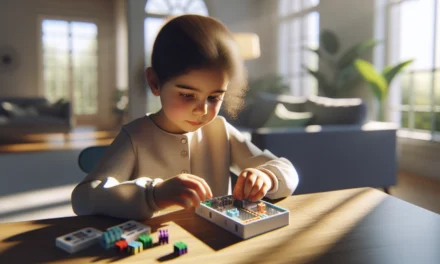
Coding can feel mixed up sometimes, yet it opens doors to creative problem solving for kids, and parents benefit from simple advice; this guide serves as a useful and friendly resource with practical tips and a look at a handy Amazon product to spark interest in STEM learning. Check it out now.
Table Of Contents
- Engaging Programming for Students: A Hands-On Experience
- Overview of Essential Tools and Platforms
- Supporting Coding Adventures at Home
- Deep Dive into Innovative Case Studies
- Complementary STEM Opportunities and Resources
- Promoting Long-Term Success with an Amazon Recommendation
- Resources for Ongoing Learning
- Practical Insights and Getting Started
- Keeping the Momentum Alive
- Conclusion
- Frequently Asked Questions (FAQs)
- Sources
Key Takeaways
Introducing coding to kids can be fun and effective with tools like CodeMonkey and Code.org.
Daily STEM learning at home is possible with little activities that spark curiosity and creativity.
Parents play a big role in supporting their child’s interest in STEM through hands-on engagement and finding useful resources.
Bright Mind Tools: A Parent’s Guide to Tech-Supported STEM Learning offers unique insights for parents. It helps make tech use easy and shows practical ways to blend tech into everyday education.
Remember to check good products on Amazon that can boost STEM skills at home. Fun kits and interactive toys can really make a difference!
Engaging Programming for Students: A Hands-On Experience
Programming for students can be fun and rewarding. Many interactive platforms allow learners to build their skills while enjoying hands-on activities. Platforms like CodeMonkey make coding accessible and exciting through game-based challenges. By offering engaging environments, students build confidence as they learn problem-solving techniques and logical reasoning.
Why Interactive Platforms Work
Interactive platforms use storytelling and game mechanics to keep students engaged. Instead of technical text-based tutorials, these tools provide tasks that require practical application through trial and error. This method of learning ensures that students maintain interest and continue to push their boundaries.
- They encourage exploration and creativity
- They provide immediate feedback
- They nurture collaboration and peer learning
This engaging style of instruction proves more effective than traditional lecture-based methods, as students experience firsthand the challenges and rewards of coding.
Overview of Essential Tools and Platforms
There are several key tools that help students learn programming in a fun, interactive manner. These tools not only teach the basics of coding but also encourage further exploration into areas like game design and data manipulation.
Code.org’s Tools
Code.org’s App Lab and Game Lab are two popular tools. App Lab is great for students who want to build simple apps with a user-friendly interface that allows drag and drop programming. Game Lab, on the other hand, lets students design interactive games using simple code along with graphical elements.
- App Lab introduces the concepts of event handling and visual design
- Game Lab focuses on game mechanics and motion logic
- Both platforms offer projects for learners from various age groups
These tools come with guided lessons that offer step-by-step instructions, making it easier for students to build projects from scratch. They encourage experimentation and help learners understand the immediate effects of their code.
Hour of Code and Similar Activities
Another excellent way to spark interest in coding is through Hour of Code activities. These one-hour events provide a taste of what coding can do, breaking down complex ideas into small, manageable lessons. They are available in many languages and offer a range of difficulty levels, making them accessible for early learners and teens alike.
- They reduce intimidation by breaking programs into fun, small pieces
- They often include puzzles and challenges
- They enable students to see tangible results quickly
Hour of Code initiatives are promoted by countless organizations and are a standout example of the benefits of blending education with interactive learning experiences.
Comparative Table of Tools
Below is a comparison table outlining some key features of these platforms:
| Platform | Key Focus | Suitable For | Notable Features |
|---|---|---|---|
| Code.org’s App Lab | App development | Beginners to intermediate | Drag and drop design, event-based coding |
| Game Lab | Game creation | All age groups | Visual animations, interactive design |
| CodeMonkey | Game-based learning | Elementary to middle school | Story-driven challenges, rewards system |
| Hour of Code | Introductory coding | All ages | Short, engaging sessions, wide variety |
These tools provide a range of difficulty levels and applications, catering to both beginners and more experienced students. The immediate visual feedback on projects ensures that learners are consistently motivated throughout their journey.
Supporting Coding Adventures at Home
Supporting programming at home is crucial. Parents and educators play a big role in this journey by providing resources, practical tips, and encouragement. By setting up an environment ripe for technological exploration, caregivers can help students see programming as an achievable skill.
Practical Tips for Parents and Educators
Below are some strategies for supporting coding adventures at home:
- Establish a regular schedule for coding practice.
- Encourage participation in online coding clubs and webinars.
- Use free resources and platform tutorials to supplement learning.
- Provide tangible projects that allow students to see their code in action.
- Explore coding case studies from educators who have experienced success through interactive platforms.
Creating homework tasks that incorporate coding challenges or sharing success stories from platforms like CodeMonkey can boost enthusiasm and help maintain interest in programming. Moreover, a supportive environment helps overcome common fears associated with learning a new technical language.
Webinars, Workshops, and Case Studies
Many organizations offer dedicated webinars and case studies designed to help educators and parents stay current. These sessions break down best practices and give step-by-step instructions on how to leverage these tools effectively. Some key points include:
- How to integrate coding projects into daily routines.
- Ways to measure progress and celebrate small wins.
- Case studies that highlight successful educational outcomes.
- Insights from educators using interactive platforms in their classrooms.
These webinars not only provide valuable insights but also offer a safe space for parents and teachers to ask questions and share experiences. Teachers can share anecdotes and best practices, while parents can gain confidence in their ability to support at-home coding sessions.
Deep Dive into Innovative Case Studies
Innovative research, including generative AI studies on programming, is uncovering new ways to harness technology in education. Such studies, like those available on arXiv, showcase experiments that bridge the gap between artificial intelligence and coding education, offering fresh insights on how technology can support student learning.
Generative AI in Programming Education
Generative AI is beginning to play a role in creating adaptive learning experiences. These algorithms analyze student input in real time and adjust challenges to match their skill levels. This personalized approach helps maintain an optimal balance between challenge and success.
- AI can spot areas where a student may be struggling and provide targeted feedback.
- It makes learning interactive by generating new, tailored challenges.
- It encourages students to explore problem-solving techniques through trial and error.
While still in the early stages, the integration of AI into educational tools shows promise for making programming lessons both engaging and efficient. Future platforms may rely even more heavily on these technologies to further personalize learning experiences.
Case Studies and Educator Insights
Real-world case studies often provide the best insight into effective programming education methods. Educators who have implemented interactive tools in their classrooms report:
- Increased engagement and participation.
- Better overall understanding of coding concepts.
- Positive feedback from both students and parents.
One common thread from these case studies is the importance of blending traditional teaching methods with modern technology. For example, in some classrooms, teachers pair group activities using platforms like Code.org’s App Lab with hands-on troubleshooting sessions. Students who might not otherwise show interest in coding find themselves drawn into technical problem-solving because the method is interactive and real-time.
The approach works similarly in an at-home setting where parents can observe their child’s progress dynamically. Real examples from classroom applications can be adapted into home projects, providing continuity between school and home learning environments.
Complementary STEM Opportunities and Resources
Programming is just one part of the broader STEM field. Many complementary programs tie these coding skills into larger academic success. Parents and educators can leverage multiple resources that support wider learning goals while encouraging technical skills.
Integration with Wider STEM Learning
STEM education is integral to the modern curriculum. Integrating coding with science, technology, engineering, and mathematics reinforces:
- Logical reasoning skills.
- Practical application of abstract concepts.
- Motivation to explore innovative solutions.
Programs designed to supplement academic curricula often include robotics, virtual labs, and other hands-on activities. These programs ensure that students recognize the real-world relevance of their coding projects.
Tools and Templates for a Well-Rounded Experience
Here are some useful tools and templates that can help integrate programming with other STEM areas:
- Pre-designed coding templates which allow students to modify existing code and learn from the changes.
- Robotics kits that incorporate programmable elements and are available both as home kits or classroom sets.
- Virtual labs that allow interactive experiments with science and math concepts.
- Online communities and forums that promote sharing of ideas and troubleshooting techniques.
These resources provide well-rounded experiences that contribute not only to coding skill development but also to overall academic growth.
Sample Project Roadmap
Below is a step-by-step guide to initiate a project that combines coding with other STEM concepts:
- Choose a topic that excites your child, whether it’s a simple game or a science simulation.
- Research available resources using reliable platforms such as Code.org’s App Lab or Game Lab.
- Outline project objectives on paper to help structure the ideas.
- Divide the project into smaller tasks. For coding projects, consider breaking them into:
– Designing the interface or layout
– Writing basic code segments for interactions
– Testing and debugging the code - Incorporate STEM elements, like math puzzles or science experiments, by connecting coding challenges to real-world applications.
- Utilize available templates and community advice from educational websites to guide each step.
- Celebrate each small win with encouragement and share progress with peers or mentors.
This clear roadmap is beneficial for both parents and educators. By breaking down the project, it becomes a series of achievable goals, reducing stress and increasing engagement.
Promoting Long-Term Success with an Amazon Recommendation
When considering long-term support in STEM learning, parents may find it useful to explore products that integrate various learning tools. An example of such a product is a STEM learning kit available on Amazon. These kits often include:
- Coding experiments and projects
- Step-by-step guides for parents and students alike
- Additional resources for integrating with science and math learning
These kits are designed to make it easy to start a hands-on STEM journey at home, combining both digital and physical learning opportunities. They can serve as a bridge for students transitioning from basic coding exercises to more complex projects.
Resources for Ongoing Learning
Keeping up with new tools and techniques is essential for educators and parents. The following bullet points highlight additional resources that can be of ongoing support:
- Explore local coding clubs or workshops that offer a social component to learning.
- Use community forums for advice and troubleshooting help—many experienced coders are happy to share tips.
- Subscribe to newsletters related to STEM education to stay up to date on the latest research and tools.
- Encourage participation in local or online competitions to challenge and reward progress.
- Look into webinars and recorded sessions on platforms related to interactive coding and innovative learning.
These resources help sustain interest and provide new ways to challenge students as they progress.
Practical Insights and Getting Started
Starting out with coding at home might feel overwhelming, but breaking down the process into manageable parts makes it a much more enjoyable experience. Parents and educators are encouraged to:
- Start small, using a single platform or tool, and gradually expand as confidence grows.
- Observe which methods best capture student interest. Some children may prefer game-based challenges, while others might enjoy visual design projects.
- Use simple templates and modify them together to build a range of skills.
- Regularly assess progress to pinpoint areas for improvement and celebrate achievements, no matter how small.
Creating a supportive environment is as important as the tools and projects themselves. Whether through online classes, guided tutorials, or simply dedicating a weekly hour to coding, consistent practice is key. Educators can pair classroom activities with at-home projects to help reinforce new concepts and ensure continuity.
By weaving fun, interactive experiences with structured learning, programming becomes an accessible and rewarding subject. Each step builds skills incrementally, ensuring students not only learn to code, but also develop strong problem-solving abilities and creative thinking strategies.
Keeping the Momentum Alive
For parents venturing into this territory, there are plenty of tips to maintain and nurture enthusiasm:
- Regularly set aside time for open coding sessions where learning is a joint, enjoyable experience.
- Connect with other parents and educators who are on similar journeys through local meet-ups or online groups.
- Embrace failures as learning opportunities—errors in code should be celebrated as part of the learning process.
- Experiment with both structured exercises provided by platforms and freeform projects that explore personal interests.
- Ensure that each coding session ends with a reflection on what was learned and a look forward to the next challenge.
Through these practices, students can see programming not just as another school subject, but as a versatile skill applicable to real-world challenges and creative endeavors.
By combining interactive platforms, essential tools, dedicated support for parents and educators, and insights from innovative research, a solid foundation in programming is established. The integration of complementary STEM opportunities further cements programming as a key element of modern education. This multi-faceted approach helps students build skills that support their overall academic success while keeping learning enjoyable and dynamically engaging.
Using these hands-on tips and techniques, the journey into programming becomes a blend of fun exploration and diligent learning. Whether starting with game-based challenges or diving into more advanced projects with the help of adaptable AI tools, each step offers valuable lessons for all ages. Engaging in these activities not only builds technical skills but also fosters a lifelong love of learning and problem-solving that goes well beyond programming alone.
Conclusion
We recapped the fun ways to start coding and support tech-based STEM learning for kids, touching on interactive tools and parent tips. The key lessons were engaging learning, practical advice, and easy-to-use resources; these insights blend creativity and learning. Check out more expert advice at Bright Mind Tools | and take that next step today.
Frequently Asked Questions (FAQs)
What is STEM learning and why is it important?
STEM learning stands for science, technology, engineering and math. It’s important because it helps kids solve simple everyday problems in new ways and builds a base for future jobs. There are many fun and creative ways to learn these topics at home!
How can parents best support their child’s interest in STEM?
Parents can support their child’s STEM interest by engaging in fun activities, exploring interactive tools and reading guides. For instance, setting aside a little time each day for simple experiments can boost curiosity and skills. Some tips include using free online resources and participating in community workshops.
Which tech tools should I consider for STEM activities?
There are plenty of cool tools out there. Many parents turn to products on Amazon for items like educational kits, programmable robots and interactive science sets. These items can walk kids through experiments and help them build basic coding skills too.
How does Bright Mind Tools help with tech-supported STEM learning?
Our guide, Bright Mind Tools: A Parent’s Guide to Tech-Supported STEM Learning, offers unique insights powered by real experience with school-age children. It gives practical ideas, accessible tech tips and steps to integrate simple technology into daily learning. Check out more details on Bright Mind Tools for ideas tailored to busy parents.
What are some easy projects to boost STEM skills at home?
Simple projects like building a mini volcano, designing a paper bridge or coding a basic game can kickstart interest in STEM. These projects encourage experimenting and asking questions. They are fun ways to practice problem-solving and help kids learn by doing.