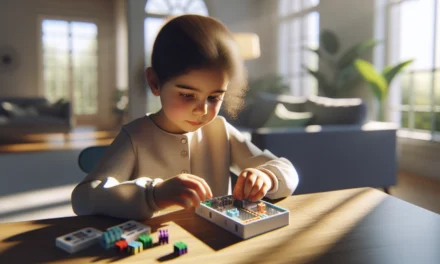
Discover coding toys that can help your child’s curiosity grow, from beginner-friendly kits to interactive learning devices that bring simple circuits and fun projects to life. Parents can find many options that are both educational and enjoyable and maybe even check out a special find on Amazon. This guide offers handy tips and playful ideas for every curious mind.
Table Of Contents
- An Overview of Coding Toys for Kids
- Product Highlights and Reviews
- Parent Tips and Guides for Choosing STEM Tools
- Hands-On Projects with Robotics Kits
- Additional Tools and Tips for Parents
- Conclusion
- Frequently Asked Questions (FAQs)
- Sources
Key Takeaways
- Coding toys are a fantastic way for kids to develop STEM skills while having fun.
- Interactive toys like the Code-A-Pillar and Sphero SPRK+ engage kids and help them learn basic programming concepts easily.
- Choosing the right toy for your child involves knowing their age and interests—look for guides and reviews.
- Using resources like Bright Mind Tools teaches parents practical methods to merge technology into daily activities for their kids.
- Make time for play—short sessions with coding toys can spark interest and lead to longer learning journeys.
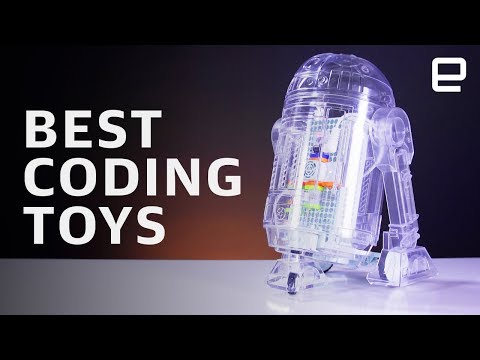
An Overview of Coding Toys for Kids
Coding toys for kids have become a popular resource for parents who want to boost their children’s early STEM skills. These interactive toys not only spark creativity but also help develop problem-solving and logical reasoning capabilities through play. Kids today are introduced to coding concepts using simple modules like the Raspberry Pi Pico W and PicoBricks modules. These tools allow kids to see first-hand how electronic components and programming work together to produce fun, interactive projects.
Learning to code from a young age can make the transition into more complex subjects smoother. With hands-on experimentation, children build technical confidence and understand the basics of automation early on. For example, using a Raspberry Pi Pico W paired with PicoBricks modules guides kids through setting up circuits, coding basic commands, and even troubleshooting simple errors. Parents and educators alike benefit when such toys encourage digital fluency as well as interactive learning.
Step-by-step instructions for beginners are integrated into many of these coding toy packages. Typically, children start with a basic connection between hardware components, proceed to write their first few lines of code, and then observe how their commands influence the toy. This methodical, gradual learning process reinforces STEM principles that are critical for long-term success in math, science, and technology education.
Product Highlights and Reviews
A diverse set of coding toys is available on the market to fit various age ranges and interests. Among the standout products are the Code-A-Pillar, Sphero SPRK+, LEGO Boost, and LEGO MINDSTORMS. Each offers unique features and teaching methods.
Code-A-Pillar and Sphero SPRK+
The Code-A-Pillar is designed to introduce young children to the basics of sequencing and cause-and-effect. Its segmented design lets kids physically rearrange parts of the toy to alter its path. Sphero SPRK+, on the other hand, engages children with its app-driven interface that teaches problem-solving and introduces coding fundamentals in an interactive way.
Key features of these products include:
– A friendly design that appeals to young children
– Interactive apps with fun challenges
– Hands-on learning that reinforces basic programming concepts
Pros and cons:
– Code-A-Pillar
– Pros: Highly interactive; encourages physical rearrangement of toy segments
– Cons: Limited to younger age groups; may need frequent adult supervision
– Sphero SPRK+
– Pros: App-based challenges; versatile for both indoor and outdoor play
– Cons: Requires a compatible device; app updates may affect performance
LEGO Boost and LEGO MINDSTORMS
LEGO Boost and LEGO MINDSTORMS cater to older children and those interested in more complex challenges. LEGO Boost offers a smooth transition from simple coding exercises to more advanced robotics concepts. In contrast, LEGO MINDSTORMS is a powerful toolkit that introduces intricate programming interfaces and a variety of sensor-based projects.
Below is a quick comparison table of these two products:
| Product | Key Features | Pros | Cons |
|---|---|---|---|
| LEGO Boost | – App-driven building instructions – Simple programming environment – Sensor and motor integration | – User-friendly – Great for introductory robotics | – Limited complexity of projects – Pieces may be lost easily |
| LEGO MINDSTORMS | – Advanced programmable robotics – Multiple sensor inputs – Versatile project possibilities | – Highly engaging for older kids – Supports advanced programming languages | – Steep learning curve – Expensive set-up |
Both LEGO Boost and LEGO MINDSTORMS prepare children for subsequent technology learning. They offer gradual progress with age-appropriate complexity. Parents can explore additional tutorials and project ideas to ensure the toy remains engaging as the child’s skills develop.
A popular Amazon product in this category is the LEGO MINDSTORMS Robot Inventor set. This set features modern sensors and intuitive programming interfaces. It represents a solid investment for parents who wish to provide a long-term learning tool in their child’s tech toolkit. For those interested, check it out on Amazon.
Parent Tips and Guides for Choosing STEM Tools
When selecting coding toys, parents should consider several important elements to find a perfect match for their child’s age, interest, and developmental level. The key is to strike a balance between fun playtime and educational value.
Age-Appropriate Selection Guidelines
Different coding toys target various age groups. For toddlers, options like Code-A-Pillar offer a tactile introduction to sequencing concepts. For older children, more sophisticated sets like LEGO Boost or LEGO MINDSTORMS provide better challenges that mirror real-world technology and engineering.
Here’s a quick guide:
– For ages 3-5: Focus on toys that encourage basic sequencing and problem-solving using bright colors and large components.
– For ages 6-9: Look for interactive games that simplify coding instructions using intuitive apps.
– For ages 10 and above: Advanced coding kits that introduce more in-depth programming concepts and sensor-based projects are ideal.
Using external resources such as CodaKid can be very helpful. These platforms offer online courses, coding camps, and an active community of young coders. They also provide detailed reviews and tutorials that can aid parents in making informed decisions.
Engaging Emerging Engineers
Beyond choosing the right product, it’s essential to support your child as they use these coding toys. Parents can adopt strategies that encourage exploration while monitoring progress.
Some useful strategies include:
– Setting aside a dedicated space in your home for coding experiments
– Establishing regular “coding times” where the child works through a guided project
– Celebrating small successes to build confidence and curiosity
– Using free online resources to complement toy-based learning
Several summer camps and classes hosted by leading institutions such as MIT and Stanford provide practical, project-oriented learning experiences. These programs allow kids to collaborate, compete, and learn from their peers in a structured environment—which can further accelerate learning with coding toys.
Hands-On Projects with Robotics Kits
Robotics kits have cemented their place as a major component of STEM education. They allow children to apply their coding skills in a tangible way, designing and controlling robotic projects that mimic real-world systems.
The Role of Robotics Kits in Digital Experimentation
Robotics kits encourage experimental learning and play, as they combine mechanical building blocks with coding exercises. By assembling a robot and programming its movement, children learn fundamental principles of sensors, motors, and problem-solving.
Step-by-step instructions to begin a simple robotics project:
1. Start by unboxing your robotics kit and organizing the parts.
2. Follow the manual to build the base structure.
3. Connect the motors and sensors to the control board.
4. Download the corresponding app or programming software provided with the kit.
5. Write a simple sequence or use a pre-set demo to test the robot’s functions.
6. Experiment with changes by modifying the code and observing the adjustments in movement or sensor response.
This hands-on approach increases digital experimentation, ensuring concepts are understood more clearly. Children find it easier to grasp abstract ideas when they see them reflected in the physical responses of their projects.
Several coding and robotics projects are available as free resources on educational platforms. For broader learning, sites like Code.org offer additional tutorials and project guides, making them a perfect supplement to toy-based learning. Simultaneously, detailed project ideas can be found on sites such as Picobricks and Target, which include templates and step-by-step walkthroughs.
Building More Complex Projects
For kids who have mastered the basics, more advanced robotics projects bring additional complexity. Consider projects such as programming a robot to navigate a maze, integrating sound sensors for voice activation, or even creating a simple robot arm to mimic human movement.
A practical template for a maze-navigation project might include:
– A printed maze diagram for the robot to follow
– A list of sensor thresholds (e.g., distance sensors)
– A flowchart that represents decision points
– Sample code snippets that handle sensor input and movement commands
These templates help break down complex projects into manageable steps. As children progress, they can experiment by combining different modules or adding extra sensors to enhance the robot’s capabilities.
Additional Tools and Tips for Parents
Integrating technology and STEM learning into everyday life does not have to be overwhelming. With a few simple tools and clear guidance, parents can make the learning process enjoyable and effective.
Useful Tools and Templates
Coding toys often come with starter guides and digital templates that help kids begin coding without feeling overwhelmed. Consider tools such as:
– Step-by-step instruction booklets
– Interactive apps with guided challenges
– Online templates for project planning that can be printed out or saved on a tablet
For example, a simple project template may include the following sections:
– Materials needed
– Step-by-step assembly instructions
– A code snippet section with room for notes
– A troubleshooting guide to assist when things don’t work as planned
These templates allow children to visualize their project roadmap. A well-organized project plan provides clarity and builds confidence when tackling complex STEM tasks.
Encouraging Daily STEM Integration
Parents can make a significant impact by incorporating small, technology-supported STEM activities into daily routines. Here are some simple tips to foster a tech-friendly environment at home:
– Designate specific times during the week for coding projects or robotics challenges
– Use everyday items to create mini-engineering challenges, such as building bridges with blocks or designing simple circuits with batteries and LED lights
– Engage with your child by discussing what they learned from their coding toys and encouraging them to explain their thought process
Additionally, consider creating a learning corner where all STEM tools—books, kits, and digital devices—are accessible. This dedicated space not only sets a routine but also signals that learning is a fun activity rather than a chore. Engaging in discussions about new projects or breakthroughs helps solidify the concepts learned.
Step-by-Step Parent Guidance for Effective Learning
Helping children navigate these learning tools requires that parents break down tasks into manageable steps. Here is a straightforward guide for parents looking to support their child’s coding journey:
- Identify the right toy based on your child’s interests and age
- Schedule regular sessions that focus on one aspect of the project at a time
- Encourage exploration by asking guiding questions like “What happens if we change this part of the code?”
- Use online tutorials and free resources to extend learning beyond the toy’s manual
- Track progress using simple logs or journals where your child can note challenges and successes
Using a combination of these strategies helps create a nurturing environment that emphasizes exploration and iterative learning. A hands-on approach paired with supportive guidance can be a game-changer in how children perceive technology and its endless possibilities.
Parents may also find value in online communities and summer programs hosted by institutions such as MIT and Stanford, which frequently feature sessions on robotics and coding. These communities offer resources that include challenges, virtual workshops, and discussion forums where both parents and kids can exchange ideas and problem-solving techniques.
Maintaining a curious mindset and gradually increasing the complexity of projects not only sustains interest but also builds up technical skills incrementally. Teaching children to troubleshoot errors on their own fosters resilience and resourcefulness—key traits for future engineers.
Every parent may consider keeping an eye on upcoming STEM events and workshops in their area. These often provide practical sessions where kids can interact with peers, share experiences, and learn from experts. The collaborative environment found in such events supplements the solo play that coding toys encourage and helps build soft skills like teamwork and communication alongside technical abilities.
By combining daily tech challenges, guided play sessions, and external learning resources, parents can create a balanced STEM learning experience that is both engaging and enriching for their children. The focus is not solely on coding but on fostering an inquisitive mindset that sees technology as both a fun pastime and a lifelong skill.
Integrating these coding toys and robotics kits into regular playtime supports a broader educational framework. It opens doors to future educational opportunities, where a child who once played with a simple coding toy might one day engineer a sophisticated robotics system in a classroom or even a professional setting.
Always remember that the journey of learning is as important as the destination. With thoughtful guidance, carefully selected tools, and a willingness to experiment, parents can help cultivate a passion for STEM that continues to evolve with each new challenge the child encounters in the digital world.
Conclusion
In this article, we explored how coding toys spark curiosity, boost STEM skills and make learning fun. The guide highlighted practical toy choices, simple tech tips, and the value of blending play with learning. Bright Mind Tools | can empower your parenting journey with expert guidance. Check out more insights and next steps at Bright Mind Tools |.
Frequently Asked Questions (FAQs)
How can coding toys benefit a child’s STEM skills?
Coding toys help kids develop problem-solving abilities and encourage creativity while they learn concepts in science and technology. They offer fun ways to explore the basics of programming, making learning a natural part of play. Some toys need simple assembly and can even teach early math skills too.
What role does tech-supported learning have in early education?
Tech-supported learning, including the use of coding toys, provides an engaging, interactive experience for young learners. With guided play, kids start understanding technology in kid-friendly terms, and it helps create a smoother path towards grasping more advanced ideas later on.
Do you have any recommended Amazon products for STEM learning at home?
Yes, there are many STEM toys available on Amazon that can support daily learning. Products like interactive coding kits have features geared toward school-age children and include step-by-step guides. For the best deals and detailed reviews, check out the product pages on Amazon.
How can parents integrate coding toys in daily learning and play?
It can be as simple as setting aside a short daily playtime with the toy or incorporating small challenges during play sessions. Use weekends to experiment with new tech tools, and let kids explore at their own pace. Remember, a little bit of routine can go a long way in building strong foundational skills.
What is Bright Mind Tools: A Parent’s Guide to Tech-Supported STEM Learning?
This curated collection offers unique insights designed for parents of school-age children navigating the early years of education. In our guide, we share practical ways to integrate technology into daily learning, provide reviews on coding toys, and suggest fun challenges that boost STEM skills. For more details and expert views, please visit Bright Mind Tools.