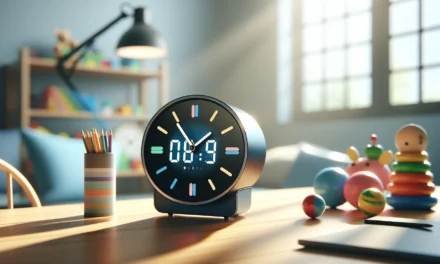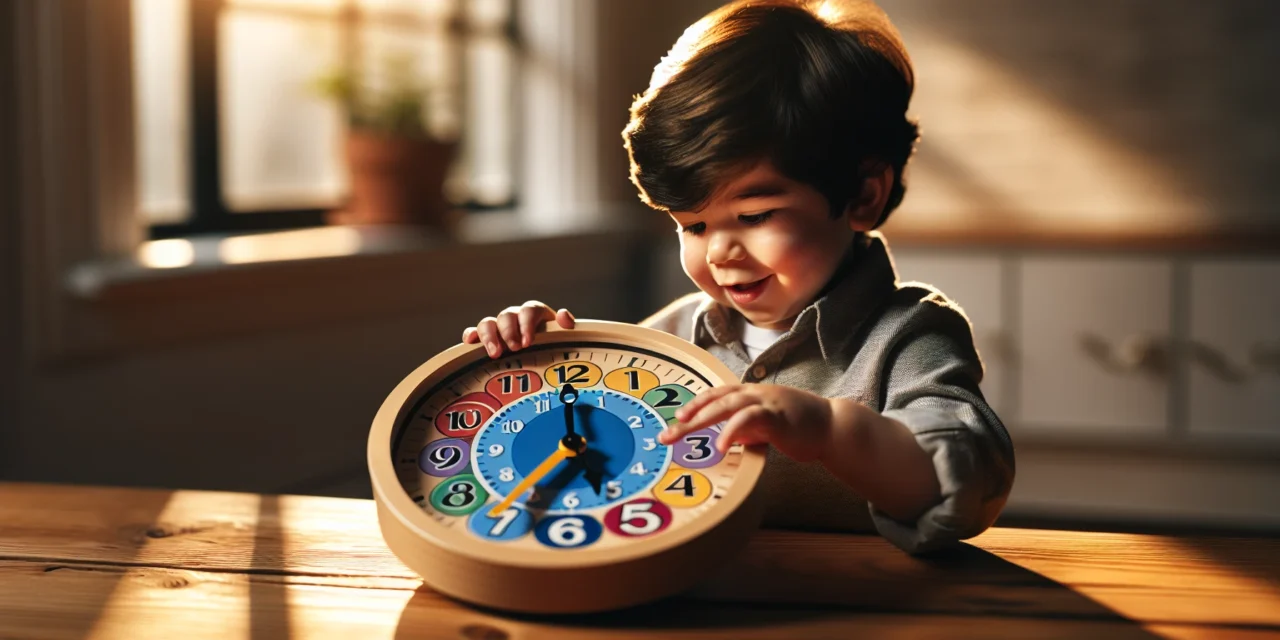
Learning to tell time is important for young children, and this article shares easy ideas for parents who want to mix traditional teaching clocks with fun interactive digital apps, find creative DIY projects, and use trusted Amazon products. It offers simple tips to help parents support everyday learning for their kids, and a few hands-on ways to explore time together.
Table Of Contents
- Digital and Interactive Clock Tools
- Physical Teaching Clocks for Classrooms and Homeschools
- Comparative Overview: Digital vs Physical Teaching Clocks
- DIY Clock Projects and Hands-On Activities
- Resources and Further Reading
- Conclusion
- Frequently Asked Questions (FAQs)
- Sources
Key Takeaways
- Teaching clocks for kids are fun tools that make learning to read time easier and exciting. They come in various styles and features.
- Engaging your child in daily routines, like adjusting the clock hands to match activities, helps solidify their understanding of time.
- Role-playing games, maybe like setting up a pretend store or classroom, can motivate kids to interact more with time-telling concepts.
- Bright Mind Tools: A Parent’s Guide to Tech-Supported STEM Learning offers unique insights for parents seeking practical ways to blend tech with traditional teaching. The articles are meant to simplify learning at home.
- When buying a teaching clock for kids on sites like Amazon, focus on quality, ease of use, and what has worked for other parents. Reading reviews is key to making a sound choice.
Digital and Interactive Clock Tools
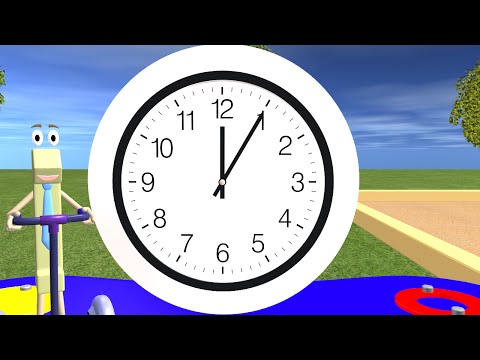
Digital tools have become an exciting way to introduce the idea of time to young learners. Many parents and educators lean on innovative apps such as Kids Clock and other interactive clock programs to blend fun with learning. These apps often include time control buttons and customizable displays, making it easier for kids to experiment with different time settings and see immediate feedback. Using these tools, children can adjust the clock hands virtually and develop an understanding of how time changes throughout the day.
Exploring the Kids Clock App
Kids Clock is designed specifically for early learners. The user interface is simple and inviting, with large buttons and bright colors that appeal to children. Here’s what makes the Kids Clock app stand out:
- It displays both analog and digital views to help kids make the connection between the two formats.
- Interactive features such as pause, rewind, and fast-forward options encourage children to experiment with the concept of passing time.
- Customizable settings allow teachers and parents to set specific times or create challenges, like matching the clock to a given time.
These features ensure that time isn’t just something abstract but is instead a concept that kids can see change and control. The simulation of time flow provides a hands-on understanding that traditional clock diagrams sometimes lack.
Interactive Clock Tools and Customizable Displays
Another popular tool in the digital space includes interactive clock models that are available as web apps. These resources allow both parents and educators to customize the clock’s features to suit different teaching lessons. For example, teachers can:
- Set the clock to a specific time and ask students to adjust the hands to match a time provided verbally.
- Use time control buttons to pause the clock at various intervals, giving each child time to absorb and reflect on the concept.
- Customize colors and display options so that the clock not only matches classroom themes but also highlights particular lessons, such as morning routines versus afternoon activities.
The flexibility of these digital resources means that lessons can be structured in many ways, ensuring that every child has multiple points of interaction with the subject matter. The blend of technology and fundamental math and logic improves STEM learning at its very core by demystifying basic technological interfaces in a way that’s both engaging and educational.
Physical Teaching Clocks for Classrooms and Homeschools
While digital clocks offer multi-sensory engagement, nothing quite replaces the benefit of physical teaching tools in a classroom or home setting. Physical clocks bring a tangible aspect to learning, making abstract concepts of time and sequence more concrete for young children.
Telling Time Teaching Clock
The Telling Time Teaching Clock is a popular physical resource that efficiently bridges theory and practice. With its moveable hands and clear numerical markings, it helps children understand:
- The relationship between the minute and hour hands.
- How the positions of the hands correspond to various times of the day.
- The difference between analog and digital time by offering a real-life example of how clocks function.
Many teachers rely on these clocks to conduct interactive lessons. One common activity is to set the clock to a random time and then ask students to describe their morning routines or schedule, based entirely on the displayed time. This exercise not only reinforces the concept of hours and minutes but also integrates learning with everyday experiences.
Scribbledo Flexic Dry-Erase Sets
Using tools like the Scribbledo Flexic dry-erase sets can enhance the learning experience further. These sets allow both educators and children to draw and annotate directly on the teaching clock. The benefits include:
- Easy correction of mistakes by simply wiping the board clean.
- The ability to mark special occasions, such as holidays or birthdays, on the clock.
- A fun and replicable method to encourage children to participate in time-related activities.
For instance, teachers can mark time segments with different colors to represent morning, afternoon, and evening, visually reinforcing how the day is divided. Additionally, these sets provide a platform for creative exercises, like drawing seasonal clocks where children can incorporate symbols from nature or familiar events in their routine.
To further support STEM learning at home, some families invest in products available on Amazon. These products often bring together visual learning with interactive design, making them a great supplement to both classroom instruction and at-home educational activities.
Comparative Overview: Digital vs Physical Teaching Clocks
Below is a table summarizing the key features of digital and physical clock tools:
| Feature | Digital Clock Tools | Physical Teaching Clocks |
|---|---|---|
| Interaction Level | High; includes pause, rewind, fast-forward | Moderate; hands-on manipulation of clock parts |
| Customizability | Highly customizable (colors, time settings) | Limited to design; mainly static but tangible |
| Portability | Accessible on any digital device | Requires physical space; not as portable |
| Sensory Engagement | Interactive visuals and sounds | Tactile experience; encourages motor skills |
| Use Case | Digital classroom settings and online learning | Classroom, homeschool, and hands-on display events |
| Learning Curve | Easy to navigate but may need tech setup | Simple physical interaction and straightforward design |
This table highlights that both types of resources have strengths that contribute to a balanced STEM education. Digital tools offer immediate feedback and interactive elements, while physical teaching clocks provide real-world experiences that digital replicas sometimes miss.
DIY Clock Projects and Hands-On Activities
For parents and teachers who appreciate a creative, hands-on approach, DIY clock projects are an excellent method to reinforce the concept of time. These projects not only boost fine motor skills but also encourage children to think critically as they construct their learning tools.
Materials Needed for DIY Clock Projects
You can create a teaching clock with just a few simple materials:
- Cardboard or a sturdy piece of paper for the clock face.
- Colored paper to decorate the numbers and create a vibrant design.
- A brad (paper fastener) to act as the pivot point for the clock hands.
- Velcro to attach the clock hands securely while allowing them to be repositioned easily.
- Markers or paints to create the hands and highlight important sections.
Step-by-Step DIY Clock Construction
Here is a guide to help you set up your own teaching clock.
- Prepare the clock face:
– Cut out a circle from a piece of cardboard. This will be your base.
– Mark the numbers from 1 to 12 evenly around the edge. You can use stickers, stamps, or use your colored paper to create vibrant number cutouts. - Create the clock hands:
– Cut two strips from colored paper. One should be longer (for the minute hand) and the other shorter (for the hour hand).
– Attach each strip to a brad at the center of the clock face. Make sure they move freely so children can adjust them to indicate different times. - Secure the clock hands:
– Use velcro on the clock face and back of the clock hands, ensuring they stay in place when the activity starts.
– Check that the hands do not move too easily; you can add a bit of extra velcro if needed. - Enhance the clock with additional features:
– Draw or attach extra elements like a smiling sun for the AM hours and a moon for the PM hours.
– Consider adding removable cards with common times related to daily routines such as meal times or school start times.
During the DIY project, parents can discuss how the movement of the clock hands relates to the passage of time. By physically manipulating the clock, children get a tangible experience that bridges the gap between abstract numbers and real-world time.
Hands-On Learning Activities
Once the clock is constructed, there are plenty of activity ideas to explore.
- • Time Matching Game: Write times on index cards and have children match the correct position of the clock hands.
- • Daily Routine Mapping: Ask children to set the clock to times that represent their daily activities—for example, breakfast at 7:30 or bedtime at 8:00.
- • Group Activities: In a classroom, work with small groups to set challenges like “What time does the school bus leave?” and have each group adjust their clock accordingly.
- • Storytelling with Time: Have students tell a short story that is tied to specific times of the day. This helps them connect time to events that occur sequentially.
These activities not only reinforce the mechanical concept of clocks but also support critical thinking as children connect the abstract idea of time with real-life events. By integrating such hands-on projects with digital interactions, parents and teachers facilitate a more rounded and dynamic learning experience.
Resources and Further Reading
The following resources provide additional guides, printable templates, and comprehensive teaching ideas for teaching time concepts:
- • Walmart – Find affordable physical teaching clock tools and DIY craft supplies for clock projects.
- • Class Playground – Explore interactive teaching ideas and tools which can be integrated into daily lessons.
- • Amazon – Discover a variety of clock teaching products, including digital apps and physical teaching clocks. For a recommended STEM tool, consider the Telling Time Teaching Clock available on Amazon.
- • Boy Mama Teacher Mama – A resourceful site where parents share creative ideas and practical tips for turning everyday activities into learning opportunities.
These resources help parents and teachers locate ready-made tools and inspiration for more hands-on activities. In many cases, printable templates and quick guides are available through these sites that can be adapted for various learning environments.
By blending digital and physical learning tools, educators and parents can offer a more cohesive and enjoyable lesson. Each tool has its unique strengths—digital clocks offer interactive experiences, while physical clocks bring a tangible reality to learning time. DIY projects further add a personal touch and encourage children to contribute actively to their learning process.
When using digital resources, remember to set aside time for guided practice. Technology, when integrated thoughtfully, can reinforce traditional learning methods rather than replace them. The key is consistency and validation; by confirming what the clock displays against daily schedules or routines, children start to intuitively understand how time guides their everyday lives.
The balance between digital and hands-on methods is essential in modern education, and when combined with regular discussion and review, the concept of time becomes something exciting and accessible. Whether via interactive apps or a physical clock that kids can move and manipulate, each method enriches their learning journey.
Both approaches have been praised by STEM education advocates for encouraging curiosity and independent problem-solving. Using a mix of both techniques ensures that children not only learn the technical aspects of telling time but also appreciate its role in organizing their day. Tools like the Scribbledo Flexic dry-erase sets, when paired with digital simulations, allow for creative demonstrations that highlight the progression of time.
Parents and teachers are encouraged to try both strategies in tandem. While an app might engage a child’s interest with animated hands and playful graphics, the tangible activity of making a DIY clock can improve fine motor skills and reinforce memory retention. This dual approach is a cornerstone of successful STEM methods, turning abstract concepts into memorable learning experiences.
With these practical tips and resources, parents are well-equipped to guide their children in understanding the fundamentals of time. The integration of technology into hands-on learning represents an ideal blend of modern and traditional teaching approaches. By continually updating teaching methods with both digital and DIY projects, educators can keep lessons fresh and stimulating.
For further insights into how to integrate technology with early learning, exploring additional articles on Bright Mind Tools can provide extra guidance and practical advice, paving the way for a more engaging educational journey.
Conclusion
We looked at fun ways to teach time—using apps, hands-on tools and DIY projects. Two key ideas were merging analogue and digital learning and simple, engaging teaching methods. Our approach is clear: mix fun and learning together. Check out more tips at Bright Mind Tools | for expert advice and practical next steps to bring STEM into your daily routines.
Frequently Asked Questions (FAQs)
What is a teaching clock for kids?
A teaching clock for kids is a tool designed to help little ones learn how to read time. It typically has a clear board, movable hands, and sometimes digital features to blend both learning styles. Many parents and teachers find that using a teaching clock for kids makes the abstract idea of time more accessible and fun.
How can I use a teaching clock for kids at home?
You can use a teaching clock for kids in many creative and simple ways at home. For example, you might set up daily routines where your child practices moving the hands or matching the time with daily activities. The teaching clock for kids transforms time into a playful concept while providing basic math and reasoning challenges.
What are some effective teaching methods using a teaching clock for kids?
Using a teaching clock for kids can be as simple as incorporating it into role-playing activities. Try setting up a pretend school scenario or mimicking a store where your child “buys” time knowledge. Encouraging hands-on activities, like adjusting the hands to show different parts of the day, reinforces both motor skills and time-telling concepts.
How does Bright Mind Tools: A Parent’s Guide to Tech-Supported STEM Learning help with a teaching clock for kids?
Our Bright Mind Tools guide offers unique insights for parents who want to merge technology and traditional learning tools. In the guide, we dive into practical ways to use a teaching clock for kids alongside interactive online resources. This curated collection provides easy tech tips backed by real-life examples and is designed to help parents take the guesswork out of early education. For more guidance, check out their resources on the official website.
Where can I buy a teaching clock for kids and what should I consider?
You can purchase a teaching clock for kids on trusted sites like Amazon. When shopping, consider features such as ease of use, durability, and how the clock caters to various learning styles. Reading reviews and comparing user experiences on these platforms can help ensure you’re getting a tool that meets your child’s learning needs.