

Learning to tell time can be fun and a bit challenging sometimes, offering kids a practical skill to practice every day. Educational clocks, both analog and digital, work well at home and in class, turning time into an interactive lesson. Parents, try an Amazon kid-friendly clock to blend fun with learning, making the concept of time a bit more approachable.
Table Of Contents
- Introduction and Benefits of Educational Clocks for Children
- Features and Functionality
- Using the Clock in Home and Classroom Settings
- Engaging Activities and Tools for Learning Time Concepts
- Additional Resources for Deeper Insights and Support
- Conclusion
- Frequently Asked Questions (FAQs)
- Sources
Key Takeaways
- Teaching kids how to tell time can be fun with educational clocks that mix colors and interactions. Choose clocks that keep them interested and help them learn.
- Both analog and digital clocks serve their purpose. Consider starting with an analog clock for a solid foundation and then introduce the digital style.
- Educational clocks can cleverly support STEM learning by incorporating critical thinking with routine activities like scheduling or counting down time.
- Bright Mind Tools: A Parent’s Guide to Tech-Supported STEM Learning provides helpful insights for parents. It shows how to blend tech with daily routines, making learning natural and enjoyable for kids.
- When shopping for educational clocks, Amazon offers fun options that also guide children in learning to tell time. Check out their selection and find the right clock for your child.
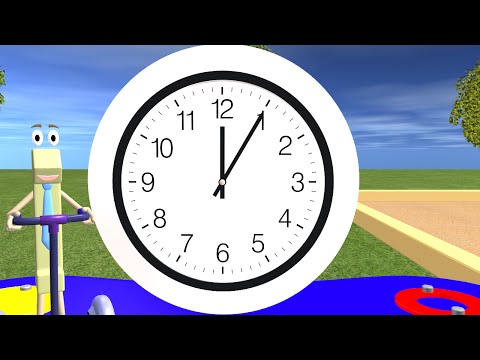
Introduction and Benefits of Educational Clocks for Children
Educational clocks can offer kids a fun way to learn about time while developing early STEM skills. Using clocks is a hands-on method to build routines, improve math skills, and introduce basic technology use in daily life. Parents and teachers alike have observed that clocks help children understand the concept of passing time, making daily activities predictable and engaging.
Key Advantages
- They provide a visual and tactile method to learn time concepts.
- They support hands-on learning which is especially useful for children who respond well to visual cues.
- They enhance routines at home and in the classroom, leading to fewer uncertainties about daily schedules.
- They lay the groundwork for logical thinking, as kids learn to sequence events by the order of hours and minutes.
- They promote independent learning by allowing children to explore time on their own pace.
Using educational clocks gives children more than just the skill to tell time; they gain the ability to plan and use self-regulation in everyday routines. In doing so, they also improve memory and observational skills, which are important in STEM education.
Features and Functionality
Educational clocks come in many forms. Some use traditional analog displays while others incorporate digital screens. Both have unique benefits that can fit different learning styles.
Analog Displays vs Digital Displays
Analog clocks provide the visual movement of hands that many children find intriguing. This type of clock forces learners to interpret positions between numbers, which can be a fun puzzle for them to solve. Digital clocks, on the other hand, can simplify the process by providing numbers instantly, but may not offer the same learning challenge as analog versions. A tool like the Kids Clock app on iPhone and iPad often combines both elements—providing a digital view with analog-style movement.
Below is a table outlining some key differences:
| Feature | Analog Display | Digital Display |
|---|---|---|
| Visual Appeal | Shows moving hands; great for interactive learning | Clear and easy-to-read numeric format |
| Learning Approach | Encourages interpretation of hand positions | Provides a straightforward display of time |
| Cognitive Challenge | Requires understanding of ratios and fractions | Focuses on number recognition |
| Suitable Age Group | Ages 4-8 who are developing spatial skills | Ages 6-10 who are comfortable with digits |
The Role of Interactive Clock Features
Interactive clocks with adjustable hour and minute hands offer a step-by-step approach to learning time. Parents or teachers can guide children to move the hands, helping them understand how the position of the hands reflects morning, afternoon, or evening. A child may start by aligning the hour hand to match activities like breakfast, playtime, or bedtime.
Here’s a simple method to introduce an interactive clock:
- Start with the hour hand. Ask the child to point the hour hand at the correct number that signals the beginning of an activity.
- Once the hour hand is set, move to the minute hand. Explain that each small movement on the clock represents a fixed number of minutes.
- Use real-life scenarios, such as “If breakfast starts at 7 o’clock and now the minute hand points to 15, how many minutes passed?”
- Let the child experiment with moving the hands to see how the time changes.
This way, children connect abstract time concepts with tangible actions, making learning easier and more memorable.
Using the Clock in Home and Classroom Settings
Educational clocks are versatile tools that suit both home and classroom environments. Different settings can adapt the clock-based activities to best fit a child’s learning style and daily schedule.
Home Setting Usage
Parents can introduce clocks as a means for children to manage their own time. Displaying an educational clock in a child’s room or kitchen can transform everyday routines into learning moments.
- Establish a routine: Place the clock near regular daily activity spots, such as the breakfast table.
- Create simple challenges: Ask children to set the clock for certain times, followed by rewards when they complete tasks.
- Connect with stories: Use time to tell stories about when different characters in a book wake up, eat, and sleep.
- Introduce an Amazon favorite: One highly recommended product available on Amazon is the Educational Time Master Clock on Amazon. This product is designed specifically for kids aged 4 to 10 and comes with adjustable hands and fun alarms that encourage interactive learning.
By making the clock part of the daily environment, parents can help children build time management and self-reliance. When everyday activities align with specific times, it becomes easier for children to anticipate transitions.
Classroom Setting Usage
Teachers can use educational clocks to create structured and engaging lesson plans. In group settings, interactive clocks can be an effective tool to encourage collaboration and shared problem-solving.
- Display a large interactive clock in the classroom so every student can see it.
- Use the clock during transitions between subjects or activities, turning waiting times into a chance to discuss time and routines.
- Engage students in pair work: one student sets a time and another reads it out loud, promoting communication skills.
- Integrate clock activities into daily math lessons, interpreting time differences and time intervals.
Educators can also combine traditional teaching methods with technology. For instance, teachers might use the Kids Clock app on devices in the classroom to allow students to interact with a digital version of an analog clock. This approach helps bridge digital and real-world learning tools. For more detailed lesson plans, you can explore resources like Khan Academy Time Lessons.
Engaging Activities and Tools for Learning Time Concepts
Kids learn best when lessons are fun and interactive. The following activities are designed to step-by-step build time-related skills while integrating math and logical reasoning.
Fun Tasks and Math Explorations
- • Story Time Sequencing: Have children arrange pictures in order based on activities aligned with specific times (e.g. breakfast at 7:00, lunch at 12:00). This task not only works on understanding time but also on sequencing and organization.
- • Interactive Time Games: Use an interactive clock with adjustable hands. Ask the child to set the clock to a time you describe verbally. For example, say “Set the clock to 3:30” and let them try. Encourage them by asking what happens if the minute hand moves to 45 instead.
- • Time and Money Integration: Introduce a simple math task where time is converted to money, such as earning a small amount for every minute spent on a fun challenge. This integrates basic arithmetic into time learning.
- • Everyday Time Challenges: Create a game where children match daily tasks with their approximate times. You might print out pictures of different activities and have them match these to times on a paper clock. This reinforces the concept that certain activities usually occur at specific times of the day.
- • Competitive Races: Organize a race where kids race to set the clock to a target time. Time their success and create a scoreboard. This adds a level of fun and slight competition that motivates participants.
Step-by-step instructions for a sample activity:
- Gather different images related to daily routines (e.g. waking up, lunch, playtime, bedtime).
- Lay out a blank clock face (or use an interactive digital clock if available).
- Ask the child to select an image and choose an approximate time for that activity.
- Guide them as they adjust the hour and minute hands to match the chosen time.
- Ask questions like “What happens if we set the time five minutes earlier?” to encourage logical reasoning.
These activities offer flexibility. Parents can use objects around the house, while teachers can print worksheets or use interactive online tools. For example, the Class Playground Interactive Clock offers engaging online games that focus on time-telling skills.
Tools and Templates
For those looking to hone their lessons further, simple templates can bridge the gap between learning and daily practice. Consider using printable clock faces, checklists for time-related tasks, or hands-on manipulatives like paper clock hands that the child can move around. Here are some helpful bullet point suggestions:
- Printable clock templates that let children place and adjust numbers and hands.
- Worksheets that combine time reading with counting exercises.
- A DIY kit for creating a physical clock using cardboard, paper, and simple hardware.
- Digital applications that simulate clock adjustments, providing instant feedback to the child.
Mixing digital and physical tools not only keeps learning fresh but also helps children learn to adjust to different formats of information delivery.
Additional Resources for Deeper Insights and Support
Parents and teachers who want to dive deeper into using educational clocks in early STEM learning can explore several resources online. These websites provide a range of activities, lesson plans, and interactive tools that support children’s time-learning skills.
- Kids Clock on the App Store
- Class Playground Interactive Clock
- Khan Academy Time Lessons
- NAEYC Early Learning Resources
- Bright Mind Tools Educational Insights
These external sites are filled with practical lesson ideas, interactive activities, and advice on integrating technology into daily learning practices. They also showcase a variety of educational apps and tools that can further enrich a child’s learning experience.
For parents especially interested in combining hands-on learning with modern technology, educational clocks can be paired with apps that promote STEM learning. One such product is the Educational Time Master Clock on Amazon, which has received praise for its interactive features and ease of use. This product is designed to provide a blend of analog and digital learning approaches, making it a suitable addition to any home or classroom that is working to build time-telling confidence.
Integrating these resources and activities into daily routines ensures that children are not only learning about time but also acquiring the foundational skills needed for later STEM subjects. Through playful exploration, step-by-step guidance, and the use of innovative tools, children are set up for success in both academic and daily life settings.
Conclusion
In conclusion, our article shows how educational clocks spark kids’ interest in time-telling, blend hands-on activities with tech, and support learning at home and in class sometimes. Key points include a clear method for understanding time and practical tips for parents. Check out Bright Mind Tools | for even more ideas and expert guidance in integrating tech into STEM learning.
Frequently Asked Questions (FAQs)
What is an educational clock for children and how does it help with learning?
An educational clock is a fun tool designed to help kids learn how to tell time. It mixes colorful hands or numbers with interactive activities so children can understand time in a practical way. It’s great for sparking interest and making everyday lessons a bit more engaging.
Do analog clocks or digital clocks work best for teaching kids?
Both analog and digital clocks have their perks. Analog clocks help kids grasp basic time principles like hours, minutes, and the movement of clock hands, while digital clocks show exact times instantly. Many parents find that starting with an analog clock builds a solid foundation before moving on to digital formats. Consider using both types at different learning stages to keep things interesting.
How do educational clocks support STEM learning and daily routines?
Educational clocks tie into STEM learning by encouraging critical thinking and routine practice. They can be integrated into daily activities where kids calculate time intervals, follow schedules, or even relate time to other math and science concepts. For a hands-on experience, try using an educational clock during a daily planning session—this can even be tied in with a recommended Amazon educational clock product if you’re looking for a reliable, engaging tool.
How does Bright Mind Tools guide help parents integrate tech-supported STEM learning?
Bright Mind Tools: A Parent’s Guide to Tech-Supported STEM Learning is a curated collection designed for parents of school-age children. This resource offers unique insights on integrating technology into daily education, turning simple tools like educational clocks into dynamic learning aids. It provides practical ways to blend tech and hands-on activities, making STEM learning engaging for young minds. For more details, visit the Bright Mind Tools website.
Where can parents buy educational clocks that are fun and reliable?
Parents can find a variety of educational clocks on Amazon that combine fun designs with reliable functionality. These clocks are excellent for both home and classroom use, helping children learn to tell time in an interactive manner. To explore options, check out Amazon’s educational clock collection and choose one that fits your child’s needs.


