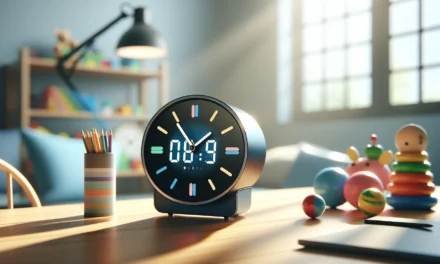
Learning to tell time can be a fun yet tricky concept for kids, with interactive clocks that mix analog and digital styles helping a lot, especially for parents looking to guide early STEM skills. Parents might find the hands and minute markers a neat, but sometimes confusing tool when they try out different teaching methods and practical activities.
Table Of Contents
- Introduction to the Learn to Tell Time Clock
- Key Features and Controls of Interactive Clocks
- Practical Teaching Strategies for Parents and Classroom Activities
- Recommended Resources
- Integrating Interactive Clocks Into Daily Learning
- Conclusion
- Frequently Asked Questions (FAQs)
- Sources
Key Takeaways
Using interactive clocks makes learning to tell time more fun and engaging for kids, mixing analog with digital can help them understand better.
Blending play with learning helps kids stay interested. Games and simple challenges can motivate them to learn faster.
Hands-on tools and apps are handy in teaching time, make use of them as well. Tools like Interactive Telling Time can provide real-time practice.
Bright Mind Tools: A Parent’s Guide to Tech-Supported STEM Learning offers practical insights into how tech tools can fit into daily routines, it’s all about making education easier for parents in the early school years.
Resources like Amazon products, like learning clocks, are great for parents looking for engaging teaching tools; these can really boost understanding and interest.
Introduction to the Learn to Tell Time Clock
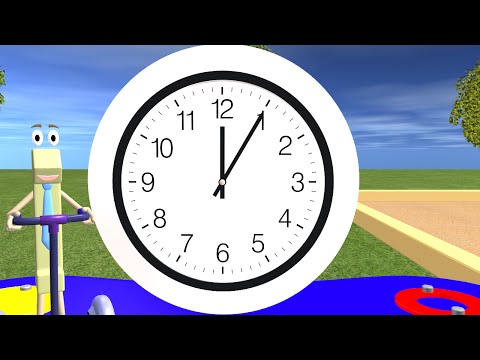
Learning to tell time can be an adventure for both kids and adults. With interactive clocks that feature analog and digital displays, minute markers and adjustable hands, children develop early math and spatial skills that lay the foundation for future STEM learning. This type of hands-on learning builds confidence and boosts problem-solving abilities. Parents and teachers alike have noticed that when children can adjust clock hands and see how time ticks away, they start to appreciate the connection between numbers and daily routines. The concept of a learn to tell time clock is simple yet powerful—a single tool that unites fun with hands-on math practice.
Why Interactive Clocks Matter for Early STEM Learning
Interactive clocks are more than just decorative classroom aids. They combine visual, tactile and auditory cues to help young learners grasp abstract concepts such as time measurement and sequencing. When children use clocks featuring both analog and digital displays, they see firsthand how the same concept can be presented in two different formats. This multisensory experience contributes to a deeper understanding of time management, basic geometry, and even early computer science concepts, making it an essential tool for parents who want to nurture inquisitive minds.
Key Features and Controls of Interactive Clocks
At first glance, an interactive clock may seem like a typical timepiece, but look a bit closer and you’ll discover several controls and features designed for a dynamic learning experience.
Time Formats: 12 and 24 Hour Clocks
One of the most notable features is the ability to switch between 12 and 24 hour formats. This means that children learn the basics of clock reading while also preparing for more advanced time concepts found in different cultures and scientific contexts. Here’s a step-by-step explanation on how to switch and read these time formats:
- Set the clock to 12 hour format by aligning the hands according to the familiar AM/PM routine.
- Switch to 24 hour format to help kids see how morning and afternoon blend into one continuous count from 0 to 23.
- Ask children to compare the two time systems to build a connection between different timekeeping methods and help them grasp the idea of universal time measurement.
This control reinforces the idea that math and science can be flexible and adaptable to diverse real-world contexts.
Angle Measurements and Customizable Styling
Another useful tool within these clocks is the angle measurement feature. With adjustable hands, children can see the angles between the clock digits, connecting basic geometry concepts to everyday activities.
- Move the minute hand step-by-step and observe how small changes create different angles. This gives kids a visual reference to understand fractions and degrees.
- Use the customizable styling options to personalize the clock. Changing colors and designs can make the learning process more engaging and allows educators or parents to match the teaching tool to a child’s interest.
- Have fun with it! Encourage children to design their own clocks and then challenge their classmates or siblings to read times on uniquely styled devices.
Additional Extras: Protractors and Real-Time Displays
Extra features in some interactive clocks make them even more versatile. For example, the inclusion of a built-in protractor helps connect the lesson of telling time to geometric measurements. Kids can measure angles directly on the clock face, turning an everyday object into a comprehensive learning device. Alongside, real-time displays show current time, reinforcing that the abstract numbers they’re adjusting are firmly connected to the world outside the classroom.
- Experiment with the adjustable hands while using the protractor tool. Notice how shifting the minute hand by five-minute increments alters the measured angle.
- Activate the real-time display and ask children to compare it with their manually set times. This real-world synchronization reinforces learning by connecting practice with reality.
Practical Teaching Strategies for Parents and Classroom Activities
Introducing these interactive clocks into your teaching environment can be a rewarding experience. Parents, as well as classroom educators, have a variety of teaching strategies that can boost critical thinking and problem-solving skills in young learners.
Hands-on and App-Based Learning
One effective method is to combine hands-on learning with interactive apps. Tablets or computers with apps such as Interactive Telling Time allow children to simulate clock adjustments, which ties in perfectly with physical clocks they might have at home or in the classroom.
- Start by letting your child explore the clock through guided play. Allow them to adjust the hands according to instructions provided by the app.
- Follow up with a hands-on activity. Use a printed clock template or a physical learning clock and ask your child to set the correct time based on the scenario described in the app.
- Let kids experiment with both analog and digital formats. Having them compare the two settings encourages active learning and critical thinking.
In classrooms, educators may define small group activities where each child rotates through stations. One station could feature a physical clock, another an interactive app, and yet another a drawing activity where children create their own clocks and label the hours.
Engaging Classroom Activities and Parent Strategies
Parents and educators can integrate these strategies into their routines with minimal preparation. Here are some practical ideas listed in bullet points:
- Set aside a daily “clock time” session where children adjust interactive clocks to set times that correspond to daily activities, such as snack or bedtime.
- Use puzzles that involve matching the clock face to written time descriptions.
- Create simple worksheets that ask children to calculate the angle between clock hands for a given time.
- Engage in role-playing games where one child acts as the timekeeper while others complete tasks based on the time shown.
- Introduce interactive clock apps like Interactive Telling Time, which provide structured challenges for reading both analog and digital time formats.
For parents looking for extra guidance, resources like Bright Mind Tools offer insights on integrating technology and hands-on learning opportunities into everyday lessons. Additionally, check out details on fun product choices over at Amazon to find high-quality teaching tools designed for the early learning environment.
Recommended Resources
There are several high-quality resources that offer additional support and ideas for using interactive clocks in both home and classroom settings. The following bullet list showcases some of these resources, along with their key features:
- ClassPlayground – Offers educational printables and tools geared toward creating an engaging learning space.
- Janod – Provides innovative kids’ toys, including models of interactive clocks that foster imaginative play.
- DoodleLearning – Features personalized learning support designs and engaging early STEM activities.
- Faber-Castell – Known for creative school aids, useful for adding a touch of fun to everyday lessons.
- App Store – A valuable resource to explore interactive clock apps which provide a digital complement to physical tools.
Comparison Table of Recommended Resources
| Resource | Key Features | Link |
|---|---|---|
| ClassPlayground | Educational printables and classroom tools | Visit ClassPlayground |
| Janod | Interactive, innovative kids’ toys | Visit Janod |
| DoodleLearning | Personalized online learning support | Visit DoodleLearning |
| Faber-Castell | Creative, arts-based school supplies | Visit Faber-Castell |
| App Store | Digital apps for interactive learning | Visit App Store |
Each of these resources provides unique benefits that can help make the learning process smoother and more fun for children. Parents can experiment with both physical and digital tools, ensuring that concepts such as angle measurements, time formats, and interactive learning techniques are clearly understood.
Step-by-Step Activity: Making Your Own Interactive Clock
For a hands-on project that ties together the properties of a learn to tell time clock, consider making a DIY clock with your child. Here is a simple, stepwise guide:
- Gather materials such as a paper plate, printed clock face (which you can find at ClassPlayground), colored markers, and a brad (paper fastener).
- Print or draw a clock face with clear hour and minute markers.
- Use the markers to label the hours and add some imaginative design elements to engage your child.
- Create movable clock hands from sturdy cardstock and attach them with the brad so that they can pivot freely.
- Challenge your child by asking them to set a specific time. Ask questions like “What will the clock look like if it’s 3:15 or 8:45?” This practical approach helps solidify their understanding by using both visual and tactile cues.
- Once the clock is assembled, slowly introduce concepts like converting between 12-hour and 24-hour formats, and measuring angles between the hands. Encourage your child to move the hands and describe the change in angle as they do so.
This homemade project not only reinforces STEM skills but also builds fine motor skills and creativity by allowing the child to personalize their learning tool.
Using Apps to Support Time Learning
Modern technology offers efficient support options to complement traditional teaching methods. Interactive clock apps are designed with student engagement in mind. A popular option is the Interactive Telling Time app, which seamlessly integrates both analog and digital displays for a comprehensive learning experience. Here’s how to use these apps effectively:
- Start by exploring the app features with your child. Many apps include a tutorial mode that guides users through the process of setting and reading time.
- Once comfortable with the basics, set up mini challenges where your child must match the time shown on the digital display with the corresponding analog clock.
- Many apps also include fun quizzes and games that cover additional aspects, such as calculating the angle between clock hands. This adds a competitive element that motivates children to learn.
- For the best experience, alternate between using the physical clock you created and the app. This mix ensures that children understand the concept of time across both digital and physical platforms.
Consider integrating these activities with other STEM projects. For instance, use a lesson on geometry to help explain why the angle between the clock hands changes as time passes. This combined approach reinforces the idea that learning is interconnected and that practical experiments at home can boost understanding as much as classroom activities.
Encouraging Parent Involvement
Parent involvement is key to early STEM success. When parents actively participate in learning sessions, children tend to absorb content more effectively. Here are some quick tips for parents:
- Set aside a specific time each day where you work on clock activities with your child, even if it’s just for 15 minutes.
- Use positive reinforcement—praise your child when they correctly set the clock or match the time as shown in a digital app.
- Discuss real-life situations where time plays an important role, such as planning a family outing or preparing a meal, to show that learning about time is practical and fun.
- Document the progress by taking photos or keeping a small learning journal, which can be revisited later when the child starts to compare past and current abilities.
By combining digital and hands-on approaches, parents can not only support academic growth but also strengthen their child’s confidence in tackling everyday tasks involving time management.
Highlighting an Amazon Product Pick
For parents searching for a reliable tool that combines interactive learning with durable construction, one highly recommended product available on Amazon is the interactive learning clock toy. This clock includes both analog and digital displays, adjustable hands, clear minute markers, and customizable styling. It’s designed to grow with the child’s learning needs and can transform a casual time-telling activity into an engaging STEM exercise. Check out this tool on Amazon and see how it can enhance your child’s early learning experience.
Integrating Interactive Clocks Into Daily Learning
The beauty of interactive clocks lies in their versatility. Whether it’s used as a standalone tool for learning to tell time or as part of a broader project in a classroom setting, the design encourages students to explore, experiment, and understand complex ideas in an accessible way.
- Rotate between structured learning and free play to allow children to internalize time concepts at their own pace.
- Organize group activities where students can collaborate on setting time, converting between formats or even designing their own clocks using art supplies.
- In the classroom, consider setting up stations where children switch roles—from adjusting the clock to creating mini-lessons for their peers on how the clock works. This peer teaching further reinforces their understanding.
- For a more interactive experience, blend in digital and physical elements by using apps alongside the hands-on clocks. This method not only helps reinforce the lesson but also introduces children to the idea that technology and traditional learning can work hand in hand.
Taking small steps, such as daily clock-check routines or designated “time challenges,” makes the abstract concept of time something tangible and engaging.
Parents and educators can also explore further guidance on supplementary teaching materials by visiting educational blogs like Bright Mind Tools. By leveraging these best practices, you can create a supportive and enriched learning environment that motivates young learners to explore new ideas with confidence.
Each strategy, tool, and resource comes together to make learning about time a fun, dynamic, and memorable experience. With interactive clocks at the center, early STEM education becomes not just about memorization but about developing critical thinking skills and a creative mindset that can last a lifetime.
Conclusion
In this article we covered how interactive clocks and simple tech make learning to tell time approachable for kids, along with everyday STEM activities. Key ideas include using hands-on clocks, blending analog and digital formats and playful teaching methods. Parents can now try these methods. For more insights and practical tips, check Bright Mind Tools | and bring tech-supported learning into your home.
Frequently Asked Questions (FAQs)
What makes interactive clocks useful for learning to tell time?
Interactive clocks help kids see time in action. They allow your child to match moving hands with numbers and can even mix analog and digital settings. This active approach makes abstract ideas a bit easier to grasp.
How do analog clocks differ from digital clocks in a teaching setting?
Analog clocks show time with hands on a dial, which can help kids understand the flow of time, while digital clocks give a direct read-out. Using both types can be a good way to build foundational skills and a smoother transition between formats.
What are some simple techniques to make time-telling enjoyable for kids?
Try using games, role play, or even a fun app or clock toy while you teach them. A lot of parents find that integrating well-known tools like interactive clock apps keeps kids interested. You may also try setting mini-challenges at home to see who can set a clock faster or more accurately.
How can parents integrate tech and STEM into teaching kids to tell time?
Tech tools like interactive whiteboards or digital clock apps can bridge traditional learning with modern STEM practices. This blends creativity with logic, so kids get exposure to basic coding ideas, problem-solving, and structured thinking in a fun way, making everyday learning more engaging.
How does Bright Mind Tools: A Parent’s Guide to Tech-Supported STEM Learning help parents?
Bright Mind Tools offers a guided collection that sets out practical ideas for bringing tech into your child’s education. Their guide, A Parent’s Guide to Tech-Supported STEM Learning, gives step-by-step ideas on using interactive clocks and other tools to make learning fun. Check out their detailed insights on the Bright Mind Tools website for more tips and product recommendations, including a highlighted Amazon product that parents might find useful.